This is a read-only archive of the Opticraft Community forums (2010–2022), preserved in October 2026. Posting, logins and registration are closed.

Started by Mr.Monkey, April 16, 2011, 12:37:39 AM

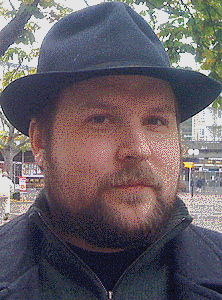
Notch's face pixel art

Toxicstriker91

:( doesnt work eather.I didnt know the indexet swatches can work with 256 only.The normal swatches(palettes) can be infinite :(
Mr.Monkey

Using this now. It has the possibility of using larger palettes, but the possibility to use custom palettes has not been added yet  :-\ It is on their to-do list though, so I hope this feature will be released soon  :D

matt88222

I don't know if this will be much help or not but I found this link a few days ago here: http://www.home.unix-ag.org/simon/gimp/quant.html

I don't know if this is what you're looking for, I don't know if it allows you to use custom palettes, I don't know if it allows custom palettes larger than 256 colors, and I don't know how to get it to work with GIMP (it's just a source code file) but if it might help I thought I would try and share it.

I'm guessing it needs to be compiled to .exe and pasted into the plugins folder of gimp to work... too bad I have no idea how to do that. Anyways hope this helps :P

Mr.Monkey

Thanks for trying to help, but it's not of much use. This is just a modified algorithm that makes the standard indexing in Gimp go faster. Still sounds good though, four times faster, might try it out anyway :P

matt88222

Okay attempt at helping #2:

So I found this program here: http://www.imagemagick.org/script/index.php

It has a -remap function which is explained here:
http://i.imgur.com/ulE2A.png

So I tried it out, used the large 432 color palette to get this new picture, which has 207 different colors:


Mr_Mr_Mr

I think Mrmonkey91 already has all this figured out matt, no need to help him. Unless he finds it usefull

Toxicstriker91

#36
He isnt mr, matt if it can use larger palette colors(indexed) it is going to be useful.
Edit: Actualy matt did it. Monkey this is the pic we need. I opened it with gimp and there were colors from all varieties of colors (all rows).

Mr.Monkey

#37
Damn, amazing Matt, thanks for your help :P So, Tox, you say it's good, that means we do this one? You make the shadows first again, or do we start right on? =D Also, 207 colours XD that's just ridiculous, more than half as much extra colours as we used in the previous one. Especially the leaves look much better now. Now the only thing remaining is how to layer it so that the lower layers don't get covered by the high towers of water if you look at the corners. -Done- There will be almost no towers sticking out of the pic now, so there is no loss in detail when looking at the corners. The block layers in the '(shadow/water) water leaf block' and '(shadow) leaf water block' rows will be lost though, but there is such a minimal difference in colour there that it does not really matter.
@Matt this thing you gave is still not the ultimate fix, it still only allows indexed lists of 256 colours. The only special is that the palettes it can use can be bigger. The plug-in I got can handle this though, because it does not change the mode of the image to indexed, but leaves it in the regular rgb. Still glad we got something to work with till that one releases the function to use custom palettes though, so again, thanks a lot  ;)
@Mr It's better to help then to flame... what he had turned out to be a quite good temporary fix, so please don't demotivate people to help. I think I can still tell for my own whether it's helpful or not.
@Tox Could you also make a map of the 'water water (leaf) block' rows, like the shadow one, but then for where to place the water that sticks out of the pic.


| _  _  _ _ _|
|************|
|************|
|************|
|************|
|************|
|************|
|************|

matt88222

Quite glad I was able to help :-)

If it's not too late I did a little more experimenting with it (kinda hard to use since it's photo manipulation all done through the command line) but I figured out how to change the dithering method it uses:

Original Riemersma Dithering:


207 colors

FloydSteinberg Dithering:

[image no longer available]
194 colors

Personally I think the FloydSteinberg method produces a better result, even with less colors but of course the decision is ultimately yours :)

Mr.Monkey

Is there a way to use 'Stucki' or 'Sierra Lite' dithering, they have even better results then Floyd Steinberg. I really like the improvement on the right cheek already. Also the face is much smoother.

matt88222

Unfortunately no, those are the only two dithering methods included in that program :(

Mr.Monkey

Aw, shame to hear :/ I hope that program is ready by the time I start my next :P

Mr_Mr_Mr

Quote from: Mr.Monkey on May 09, 2011, 07:56:42 AM
@Mr It's better to help then to flame... what he had turned out to be a quite good temporary fix, so please don't demotivate people to help. I think I can still tell for my own whether it's helpful or not.

| _  _  _ _ _|
|************|
|************|
|************|
|************|
|************|
|************|
|************|

Okay :( I sowwy, really, I am :/

Mr.Monkey

Don't worry about it too much, just keep it in mind for a next time ;)
Mr_Mr_Mr

Quote from: Mr.Monkey on May 09, 2011, 11:55:17 PM
Don't worry about it too much, just keep it in mind for a next time ;)
But really, I thought you already had all this covered and ready to build so... yeah. I still am sorry matt.