


In this little Helpful Article I am going to explain how you have the ability to place text, images or any other helpful tidbits inside of a Spoiler tag.
First you go to Reply as shown here:
[spoiler] [/spoiler]
You will then be prompted with this screen:
[spoiler]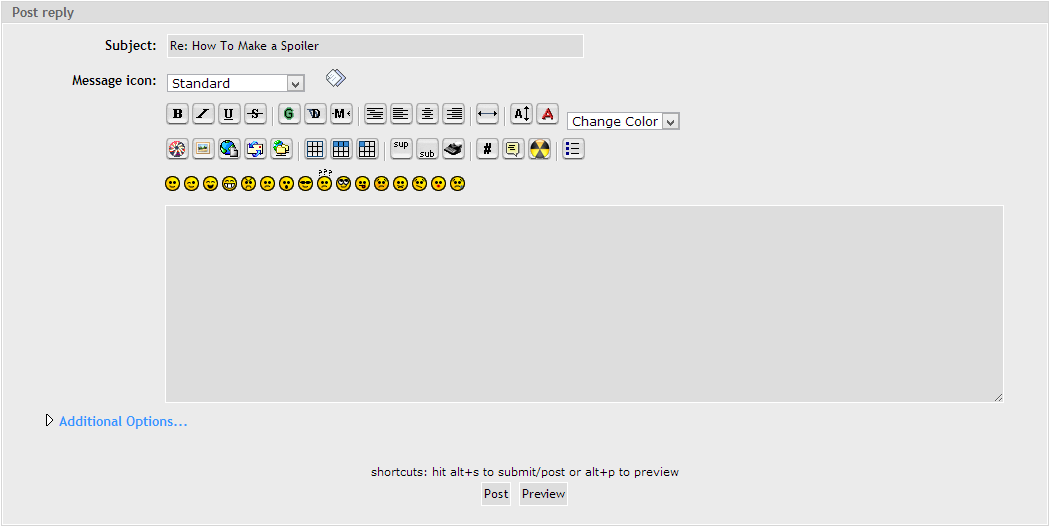 [/spoiler]
Now to actually use it, there are two ways of doing this.
The First Way is Shown Here:
[spoiler=Option One]In this option you continue to type until the point where you wish to put in a Spoiler tag.
Once you get to the point in which you want to implement a Spoiler tag you click this button:
[spoiler]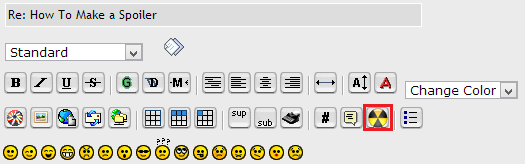 [/spoiler]
After you have clicked the button this will show up in your text box:
[spoiler] [/spoiler]
[/spoiler]
The Second Way is Shown Here:
[spoiler=Option Two]In this option you type the entire body of text you wish first, then add the Spoiler tag second.
Here is an example of what your text would look like before proceeding to the next step:
[spoiler] [/spoiler]
Once you identify what sections of your post you wish to put inside of a Spoiler tag you simply highlight the text then click this button:
[spoiler][/spoiler]
After you have completed the previous two steps your text box should look something like this:
[spoiler] [/spoiler][/spoiler]
Enjoy using Spoiler tags!
First you go to Reply as shown here:
[spoiler]
[/spoiler]You will then be prompted with this screen:
[spoiler]
[/spoiler]Now to actually use it, there are two ways of doing this.
The First Way is Shown Here:
[spoiler=Option One]In this option you continue to type until the point where you wish to put in a Spoiler tag.
Once you get to the point in which you want to implement a Spoiler tag you click this button:
[spoiler]
[/spoiler]After you have clicked the button this will show up in your text box:
[spoiler]
[/spoiler][/spoiler]
The Second Way is Shown Here:
[spoiler=Option Two]In this option you type the entire body of text you wish first, then add the Spoiler tag second.
Here is an example of what your text would look like before proceeding to the next step:
[spoiler]
[/spoiler]Once you identify what sections of your post you wish to put inside of a Spoiler tag you simply highlight the text then click this button:
[spoiler]
[/spoiler]After you have completed the previous two steps your text box should look something like this:
[spoiler]
[/spoiler][/spoiler]Enjoy using Spoiler tags!



 )
) 