


So. There have been quite a few posts on how to get a forum signature. Here is how:
1. Go to a forum signature generating site (eg. signaturecraft.us)
[spoiler]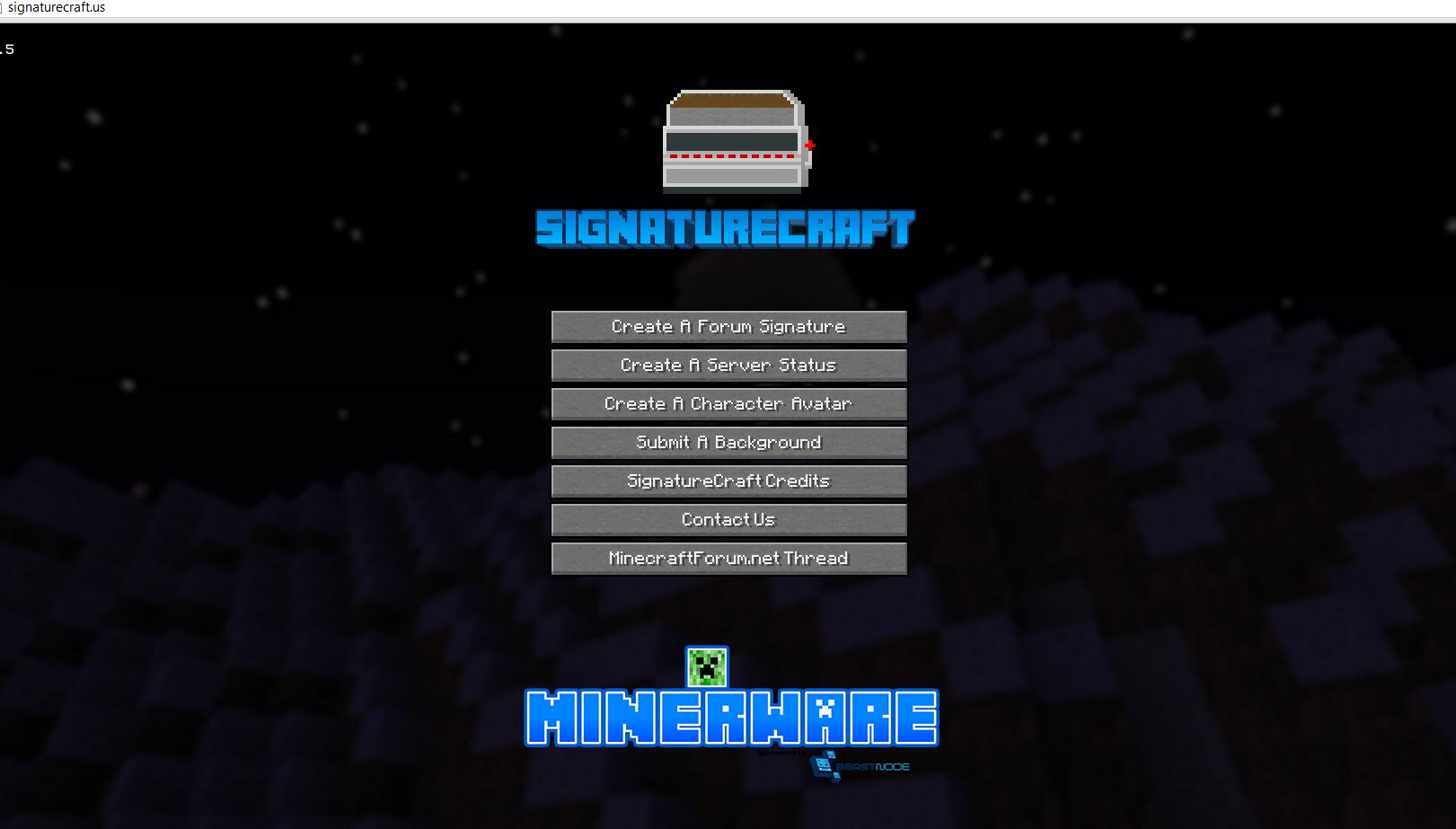 [/spoiler]
2. Create a signature
[spoiler]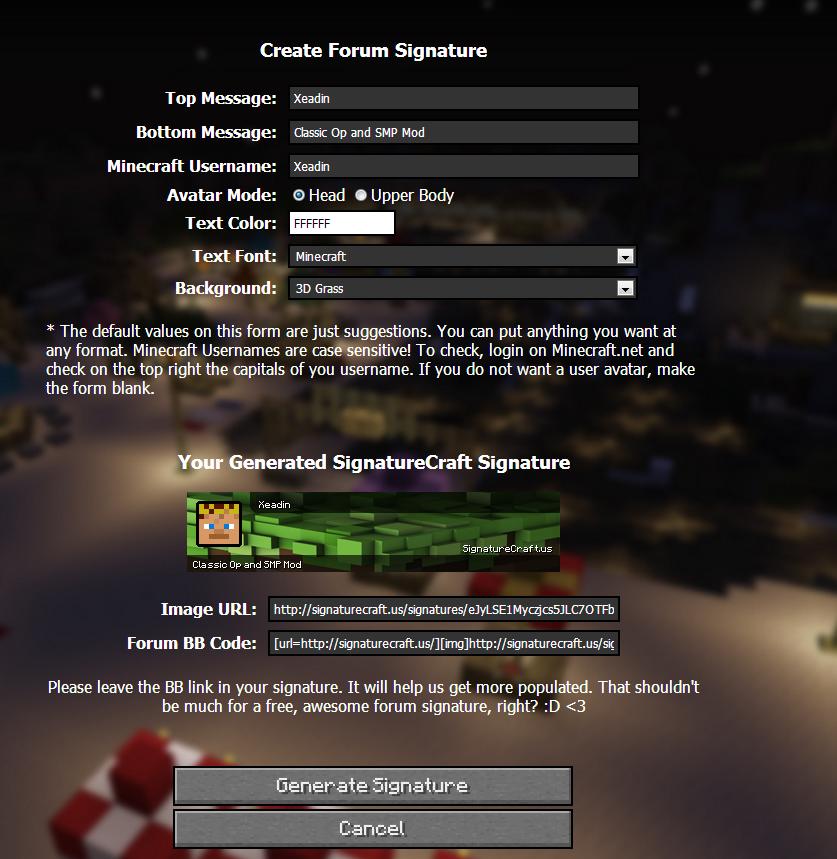 [/spoiler]
3. Generate it then upload it to somewhere on your computer
4. Go to imgur.com and select "Computer" on the right of the home page.
[spoiler] [/spoiler]
5. Find your signature from your computer
6. Click your signature once then click "Open"
7. Click "Start Upload"
[spoiler]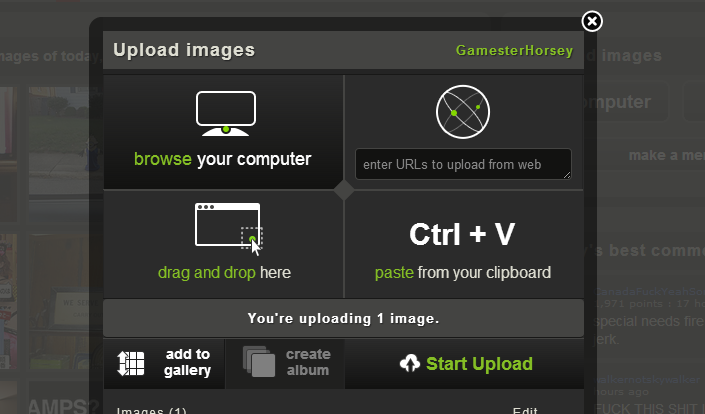 [/spoiler]
8. Click the image once it has finished uploading and it will take you to a page with your signature at the top right
[spoiler] [/spoiler]
9. Copy the link at the top that starts with "i.imgur.com"
10. Go to www.opticraft.net, log in and select "Profile"
11. Select "Forum Profile Information"
[spoiler]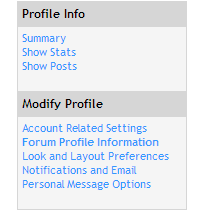 [/spoiler]
12. Click the box beside "Signature" and Ctrl+v the link that you copied earlier(Step 9) and put "[.IMG]http://" beside it[The link] on the left and "[./img]" beside it[The link] on the right.
[spoiler] [/spoiler]
13. Then click "Change profile" at the bottom of the page.
[spoiler] [/spoiler]
And there you have it! Your signature! Hope this helped, and if you realize I've made a mistake please comment below!
1. Go to a forum signature generating site (eg. signaturecraft.us)
[spoiler]
[/spoiler]2. Create a signature
[spoiler]
[/spoiler]3. Generate it then upload it to somewhere on your computer
4. Go to imgur.com and select "Computer" on the right of the home page.
[spoiler]
[/spoiler]5. Find your signature from your computer
6. Click your signature once then click "Open"
7. Click "Start Upload"
[spoiler]
[/spoiler]8. Click the image once it has finished uploading and it will take you to a page with your signature at the top right
[spoiler]
[/spoiler]9. Copy the link at the top that starts with "i.imgur.com"
10. Go to www.opticraft.net, log in and select "Profile"
11. Select "Forum Profile Information"
[spoiler]
[/spoiler]12. Click the box beside "Signature" and Ctrl+v the link that you copied earlier(Step 9) and put "[.IMG]http://" beside it[The link] on the left and "[./img]" beside it[The link] on the right.
[spoiler]
[/spoiler]13. Then click "Change profile" at the bottom of the page.
[spoiler]
[/spoiler]And there you have it! Your signature! Hope this helped, and if you realize I've made a mistake please comment below!