

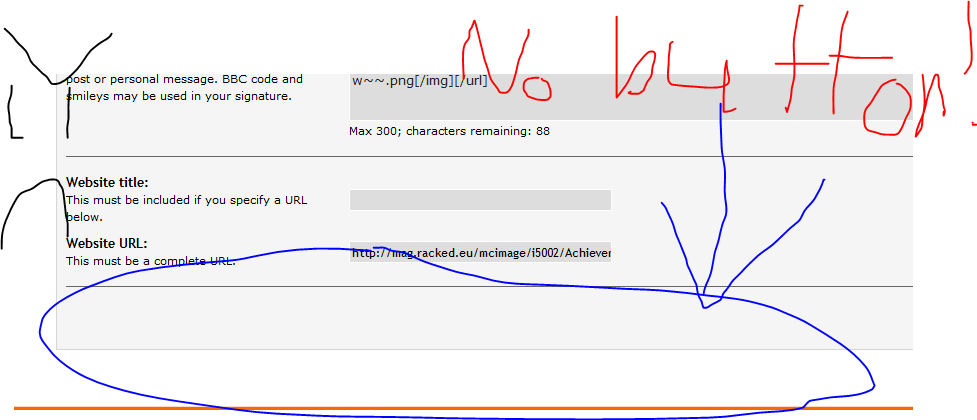
for some reason, i cant change my sig, because the 'change profile' button isnt there
some1 can help plzz?
some1 can help plzz?
Started by kagarium, September 22, 2012, 04:48:34 PM




Quote from: Hasan (Tabooti) on September 22, 2012, 04:50:12 PMThat's the link to your profile, no one can see it but you.
http://www.opticraft.net/index.php?action=profile;u=9693;sa=forumProfile
^^ Click me!
Quote from: xDeeKay on September 22, 2012, 05:06:27 PMQuote from: Hasan (Tabooti) on September 22, 2012, 04:50:12 PMThat's the link to your profile, no one can see it but you.
http://www.opticraft.net/index.php?action=profile;u=9693;sa=forumProfile
^^ Click me!
Here's the proper link: http://www.opticraft.net/index.php?action=profile;u=14356;sa=forumProfile



Quote from: ☣2crzy4uall☣ on September 23, 2012, 01:58:47 AM
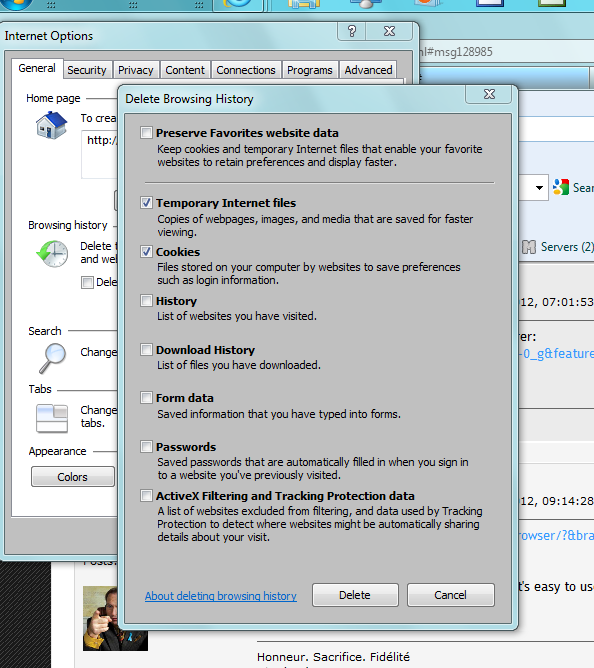
Clear your cookies and your cache, thats how I fixed mine
Quote from: BigBadHenz on September 23, 2012, 06:36:09 AMQuote from: ☣2crzy4uall☣ on September 23, 2012, 01:58:47 AM
Clear your cookies and your cache, thats how I fixed mine
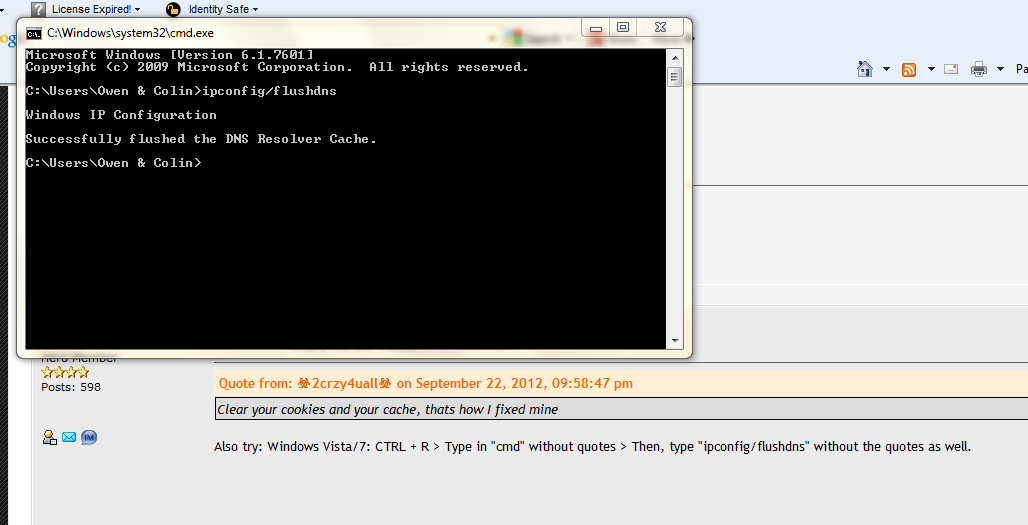
Also try: Windows Vista/7: CTRL + R > Type in "cmd" without quotes > Then, type "ipconfig/flushdns" without the quotes as well.
Quote from: ☣2crzy4uall☣ on September 23, 2012, 01:58:47 AM
Clear your cookies and your cache, thats how I fixed mine
Quote from: Scotty602AB on September 23, 2012, 06:25:59 AM
Hey do you use Internet explorer?
Quote from: Hasan (Tabooti) on September 23, 2012, 01:14:28 PMActually i tried google chrome when i had the same problem, still diddnt work
https://www.google.com/intl/en/chrome/browser/?&brand=CHMA&utm_campaign=en&utm_source=en-ha-ca-bk&utm_medium=ha
Just get Google chrome, IE is garbage.
Chrome runs faster, smoother, better, and it's easy to use.

Quote from: BigBadHenz on September 23, 2012, 11:01:53 AM
To clear cache and cookies in Internet Explorer:
http://www.youtube.com/watch?v=LKTPncO-0_g&feature=player_embedded#!
Quote from: Scotty602AB on September 23, 2012, 05:20:25 PMQuote from: Hasan (Tabooti) on September 23, 2012, 01:14:28 PMActually i tried google chrome when i had the same problem, still diddnt work
https://www.google.com/intl/en/chrome/browser/?&brand=CHMA&utm_campaign=en&utm_source=en-ha-ca-bk&utm_medium=ha
Just get Google chrome, IE is garbage.
Chrome runs faster, smoother, better, and it's easy to use.
Change to Firefox it fixed it for me
