


Ok so this post is for anyone who has updated to 1.3 but wants to still be able to play opticraft  . If you click the link below it will take you to a mediafire page from wich you will download a file called "minecraft.jar". Once you have downloaded this read the instructions below the link.
http://www.mediafire.com/?f0zpov99n1nk1xk
INSTRUCTIONS
1. Click the start button and search %appdata% and click on some thing that will Say roaming.
[spoiler]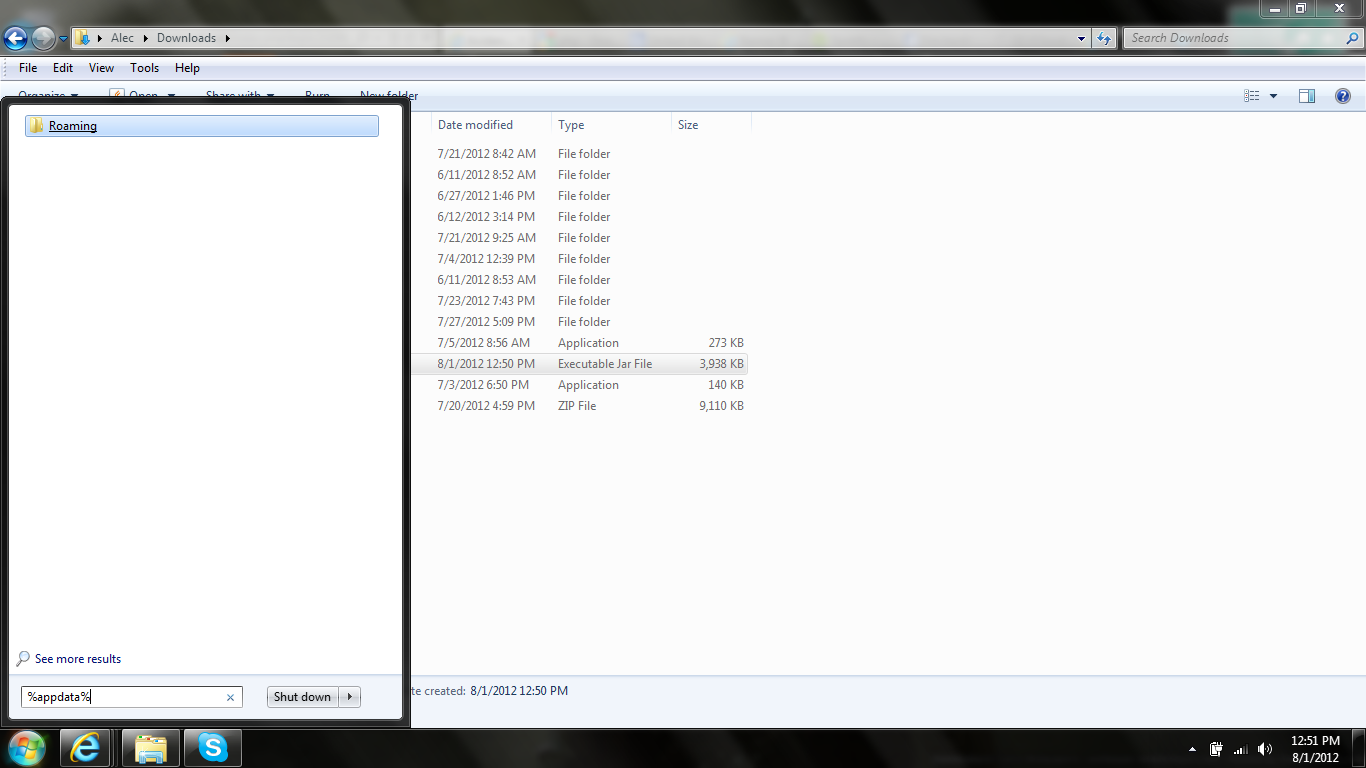 [/spoiler]
2. Double click on a folder called .minecraft and then double cklick to a file called Bin.
3. Delete the file called minecraft from the bin folder.
[spoiler]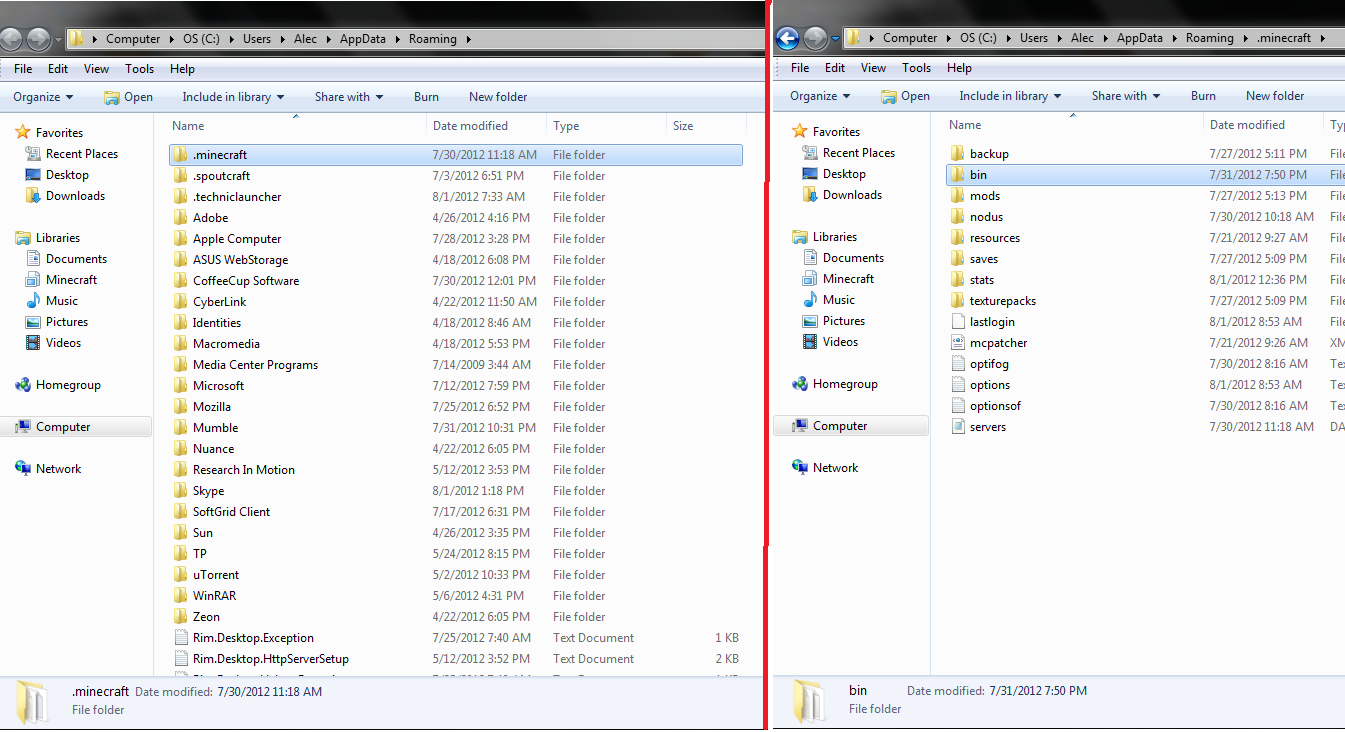 [/spoiler]
4. Now copy the file you downloaded from the link and paste in the Bin Folder.
[spoiler][image no longer available][/spoiler]
5. Now your client should be a minecraft 1.2.5 Client.
[spoiler]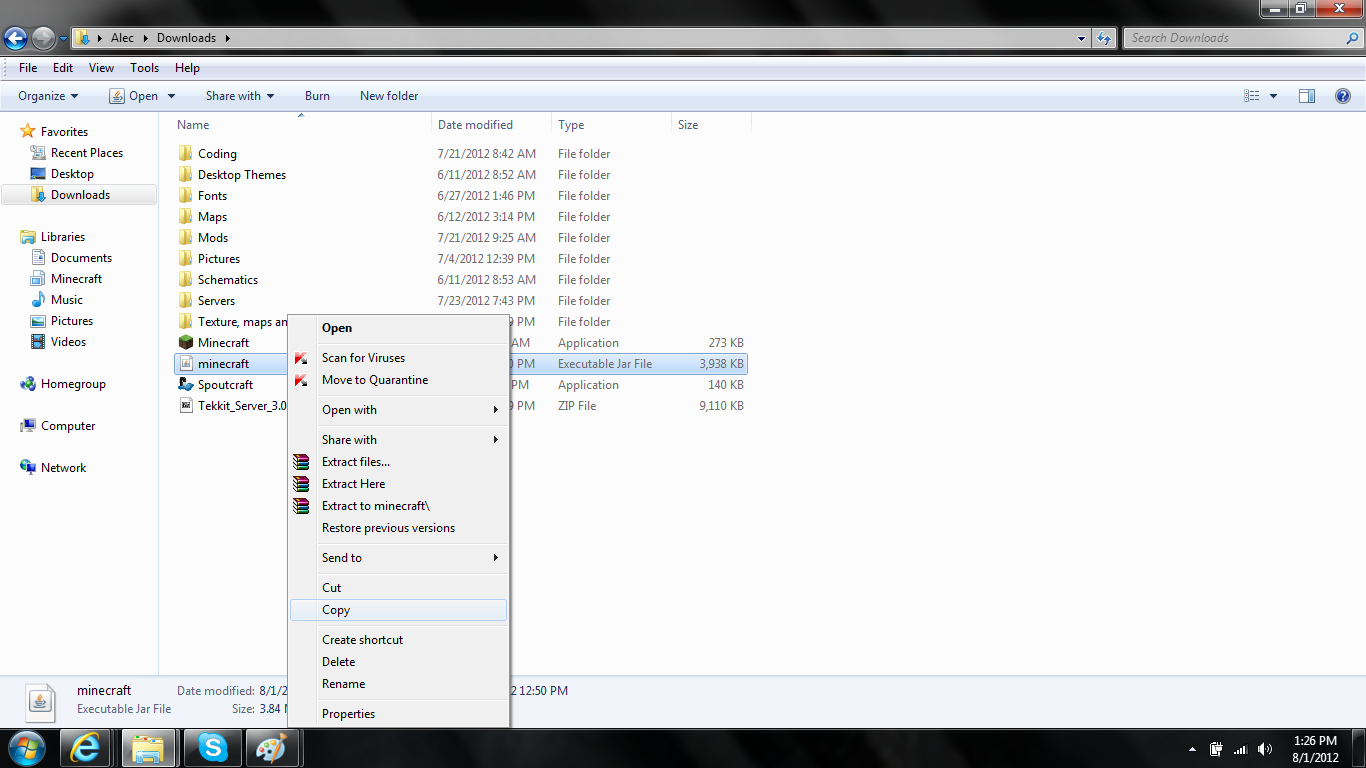 [/spoiler]
6. When starting the game decline the update.
[spoiler][image no longer available][/spoiler]
You should now be running 1.2.5 on your client.
[spoiler]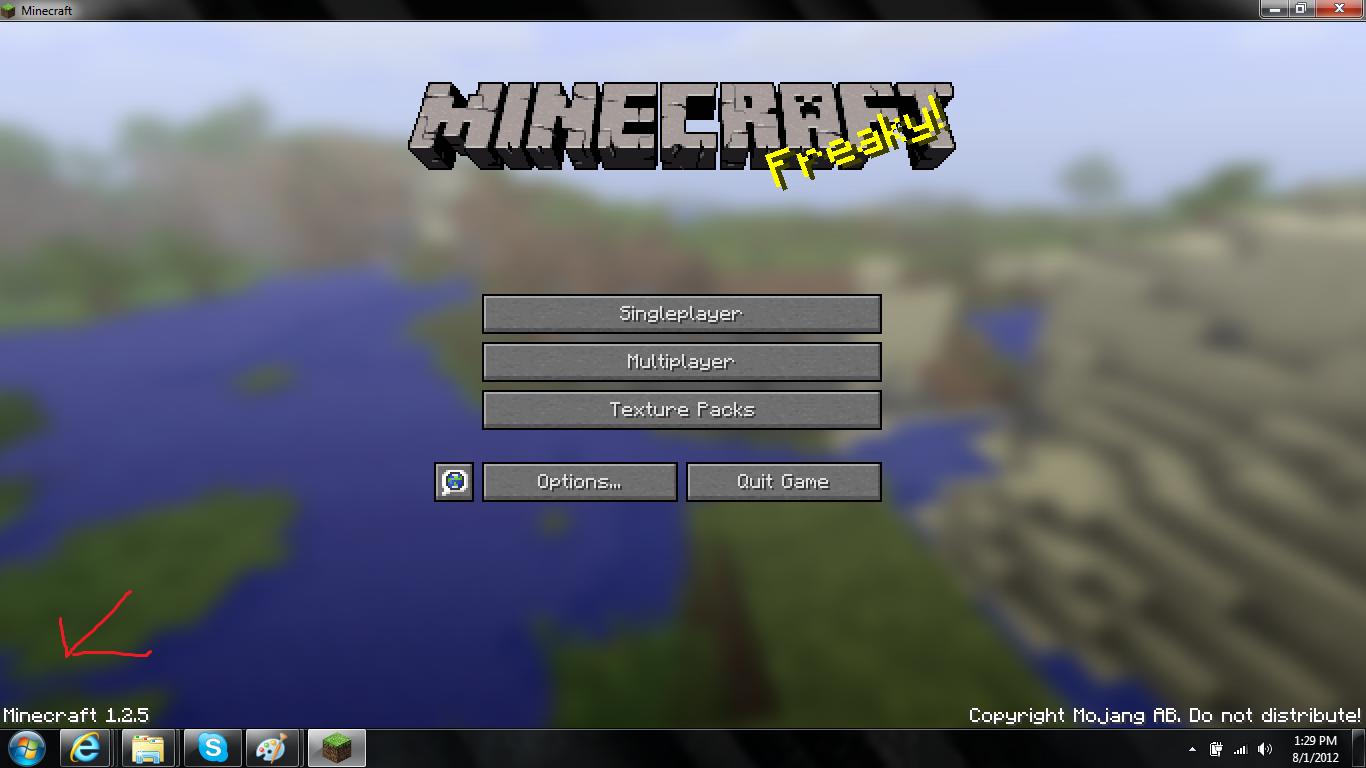 [/spoiler]
EDIT: Added Some Pictures
. If you click the link below it will take you to a mediafire page from wich you will download a file called "minecraft.jar". Once you have downloaded this read the instructions below the link.http://www.mediafire.com/?f0zpov99n1nk1xk
INSTRUCTIONS
1. Click the start button and search %appdata% and click on some thing that will Say roaming.
[spoiler]
[/spoiler]2. Double click on a folder called .minecraft and then double cklick to a file called Bin.
3. Delete the file called minecraft from the bin folder.
[spoiler]
[/spoiler]4. Now copy the file you downloaded from the link and paste in the Bin Folder.
[spoiler][image no longer available][/spoiler]
5. Now your client should be a minecraft 1.2.5 Client.
[spoiler]
[/spoiler]6. When starting the game decline the update.
[spoiler][image no longer available][/spoiler]
You should now be running 1.2.5 on your client.
[spoiler]
[/spoiler]EDIT: Added Some Pictures
![[image no longer available]](http://i.imgur.com/yG8Vv.png)
![[image no longer available]](http://i.imgur.com/KKwyQ.png)